Geospatial shapes for vizualisation


Putting analysis on a map
People always seem to like seeing data visualised on a map. Something about looking at a gradient of colour on a map makes people feel like they are empowered to understand.
But high-resolution shapefiles can be massive. While they are great for accurately allocating coordinates (latitude, longitude) to geospatial areas (polygons), they are terrible for rendering lower-resolution dynamic maps in dashboards.
I was looking at the Australian Remoteness Areas published by Australia’s Bureau of statistics. The raw shapefile and subsequent raw GeoJSON are way too large (~110 MB) to download over HTTP for a simple data visualisation on a webpage.
To solve this, I built a geo-processing pipeline to convert, simplify, and dissolve the boundaries at Github repository. Here is how it works.
Setup
First, let’s get our environment ready. We are using uv for fast package management. Running the following command will sync all dependencies:
uv syncConfiguration
Paths and parameters are managed in config.yaml. Update these to point to your local data before running the scripts:
paths:
  raw_shapefile: "data/to/RA_2016_AUST.shp"
  geojson_output: "data/to/RA_2016_AUST.geojson"
  simplified_geojson: "data/RA_2016_AUST-simple.geojson"
  dissolved_geojson: "data/RA_2016_AUST_all.geojson"
You can download the source shapefile directly from the ABS. Or any shape file of your choice.
The Pipeline
The process consists of three main steps.
1. Convert Shapefile to GeoJSON
First, convert the ABS shapefile format to GeoJSON:
uv run convert2. Simplify the Boundaries
To reduce the file size, we simplify the complex shapes of map borders. Dashboard users viewing a national map at low resolution don’t need to load every single nook and cranny of the coastline.
Simplification uses the Douglas-Peucker algorithm. You can adjust the simplify_tolerance parameter in config.yaml to balance the file size vs. boundary details (default is 0.001 degrees, which is roughly 100 meters).
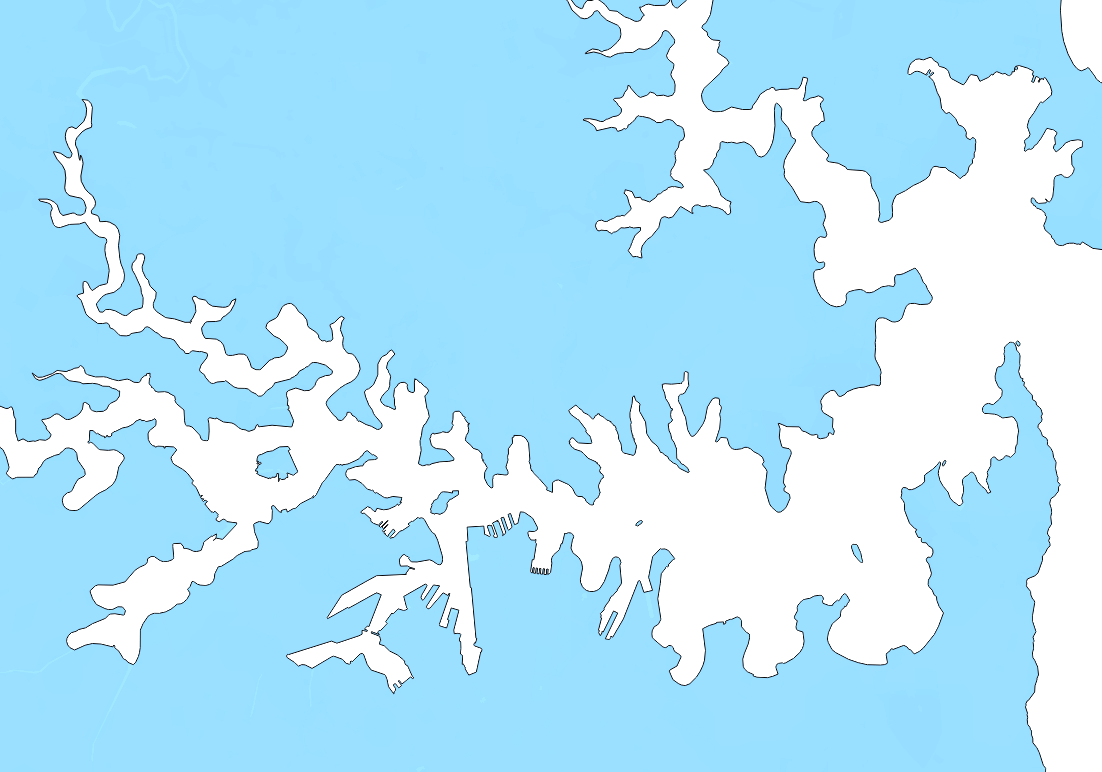
uv run simplifyThe difference is clear. Take a look at the detail around Sydney:
Original (High Detail):
Reduced (Simplified):
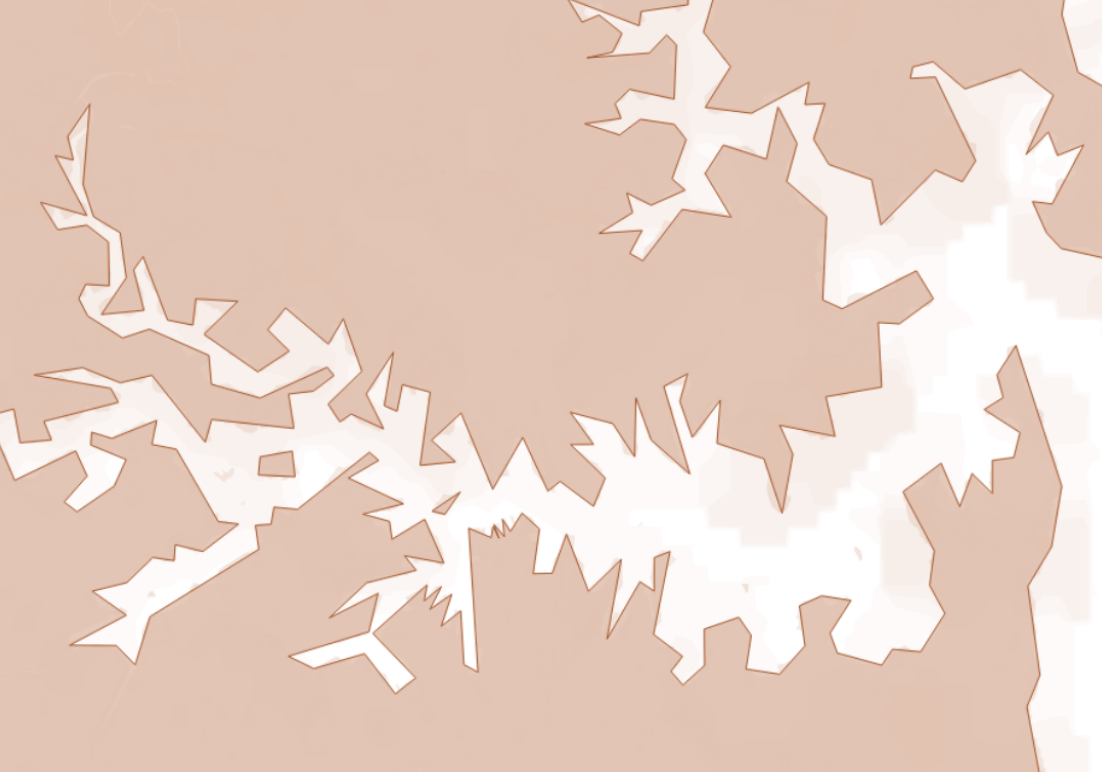
This simple optimization easily drops the file size to a fraction of the original!
3. Dissolve State Boundaries
By default, the ABS remoteness boundaries are provided per state. So “Inner Regional Australia” has separate shapes for NSW, Victoria, Queensland, etc. For a national dashboard, we don’t care about the state borders. We just want a single national feature for each remoteness category.
A sample of the input properties looks like this:
{
  "properties": {
    "RA_CODE16": "11",
    "RA_NAME16": "Inner Regional Australia",
    "STE_CODE16": "1",
    "STE_NAME16": "New South Wales",
    "AREASQKM16": 87424.8418
  }
}
To remove these state boundaries, we run:
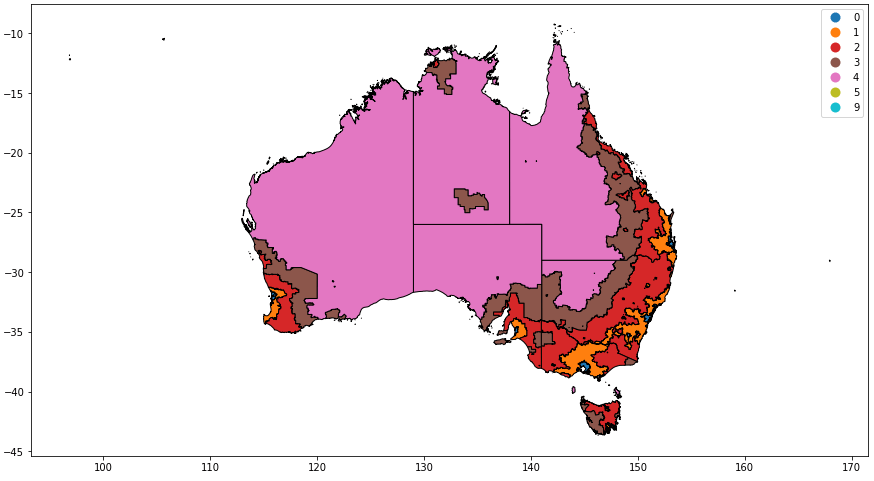
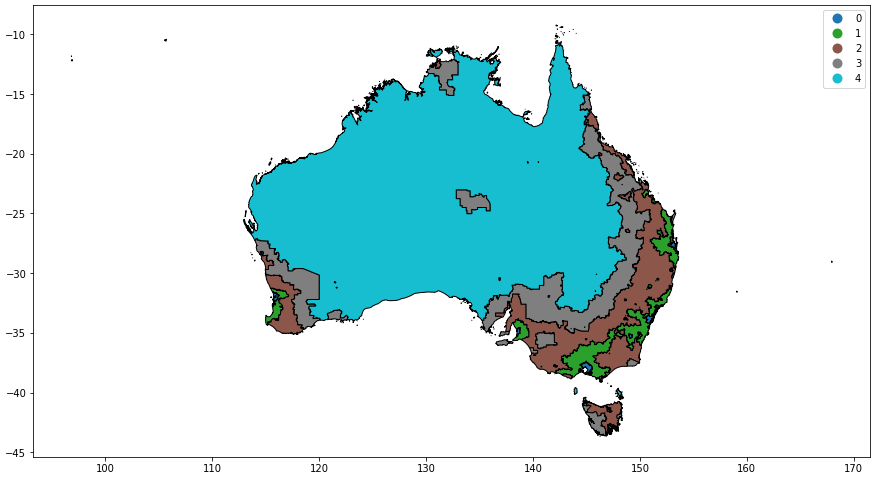
uv run dissolveHere is what it looks like before and after dissolving the state borders:
With state boundaries:
Without state boundaries:
Visualising Geospatial Data
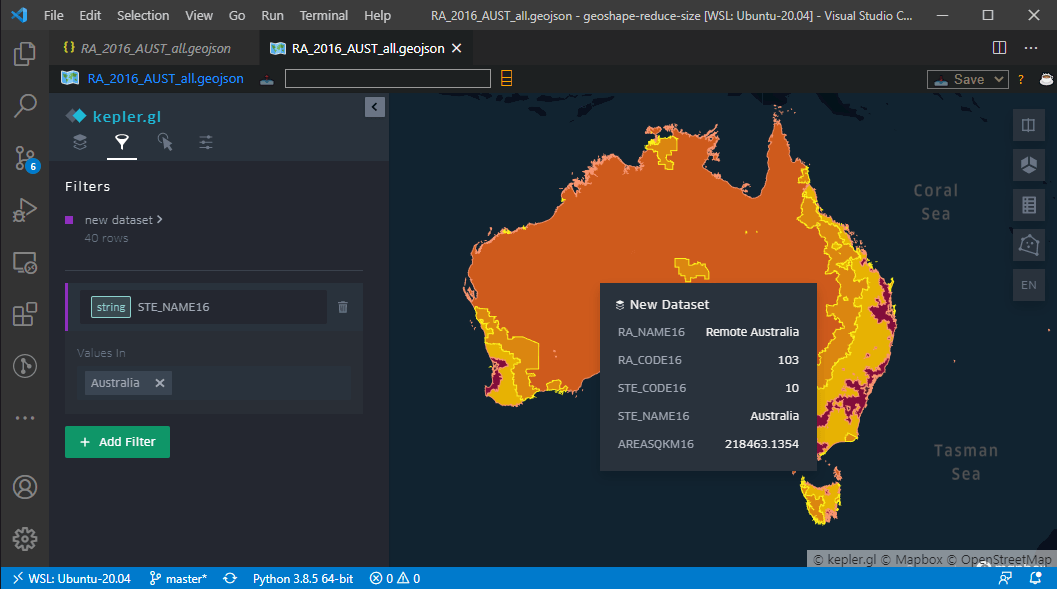
If you are working with GeoJSON files in VS Code, I highly recommend checking out the VSCode Geo Data Viewer extension. It makes it super easy to view the maps, filter features, and colour them.
Working Project
As mentioned, the complete code for this geo-processing tool is available in the geoshape-reduce-size repository. Feel free to check it out!